
How to Fix Slow charging on Your Android/iOS Device
• Replace The Charging Cable:
Many times, it is the micro-USB to USB cable that is the culprit. These cables lose their efficiency over time and therefore can’t provide enough current to charge the phone/device.

Change the Micro-USB to cable. Either purchase a new original one or borrow the one that’s being used on other device.
•Use Airplane Mode :
Airplane mode on your smartphone can significantly improve the charging process by decreasing the
charging time. The only disadvantage is that you would not be able to communicate with others through mobile network or
internet.

•Stay Away From Phone While Charging
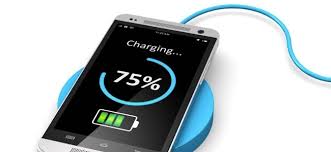
Using your smartphone while charging is not healthy to your device. It put a negative impact on your Android’s battery life. It puts battery under heavy load and cause the device to heat up.
Do this;
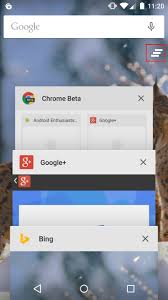
Close/End all the applications that are running
Turn off WiFi, Bluetooth and GPS
•Avoid Charging From Power banks, Laptops or PC:
A lot of us do this but while they can charge your device using USB
ports, it is still not a best idea to do so. USB ports on Computers are meant for transferring data, they do not enough current for a device to charge. Hence, slow charging.
E.g Output Current of USB
•USB 2.0 can provide up to 500mA
•USB 3.0 can provide up to 900mA
If you don’t have a charger nearby and using PC USB port as a last resort. It would be great if you connect your device to a
USB 3.0 (blue) port.

• Finally, Replace Your Battery:
If you've been using your device for more than 1 year, and it takes more than 3 hours to
charge and less than 5 hours to discharge, then it’s time to look for a replacement.

Remember, the highest form of abnormality is for your device to be charging for more than 4 hours and it still didn't get to 100%
full charge.
For the latest tech news and reviews, follow Damitechs on Twitter, Facebook, and Join us on Whatsapp Group
Many times, it is the micro-USB to USB cable that is the culprit. These cables lose their efficiency over time and therefore can’t provide enough current to charge the phone/device.

Change the Micro-USB to cable. Either purchase a new original one or borrow the one that’s being used on other device.
•Use Airplane Mode :
Airplane mode on your smartphone can significantly improve the charging process by decreasing the
charging time. The only disadvantage is that you would not be able to communicate with others through mobile network or
internet.
•Stay Away From Phone While Charging
Using your smartphone while charging is not healthy to your device. It put a negative impact on your Android’s battery life. It puts battery under heavy load and cause the device to heat up.
Do this;
Close/End all the applications that are running
Turn off WiFi, Bluetooth and GPS
•Avoid Charging From Power banks, Laptops or PC:
A lot of us do this but while they can charge your device using USB
ports, it is still not a best idea to do so. USB ports on Computers are meant for transferring data, they do not enough current for a device to charge. Hence, slow charging.
E.g Output Current of USB
•USB 2.0 can provide up to 500mA
•USB 3.0 can provide up to 900mA
If you don’t have a charger nearby and using PC USB port as a last resort. It would be great if you connect your device to a
USB 3.0 (blue) port.
• Finally, Replace Your Battery:
If you've been using your device for more than 1 year, and it takes more than 3 hours to
charge and less than 5 hours to discharge, then it’s time to look for a replacement.
full charge.
For the latest tech news and reviews, follow Damitechs on Twitter, Facebook, and Join us on Whatsapp Group


No comments: